.png)
Lead Squared
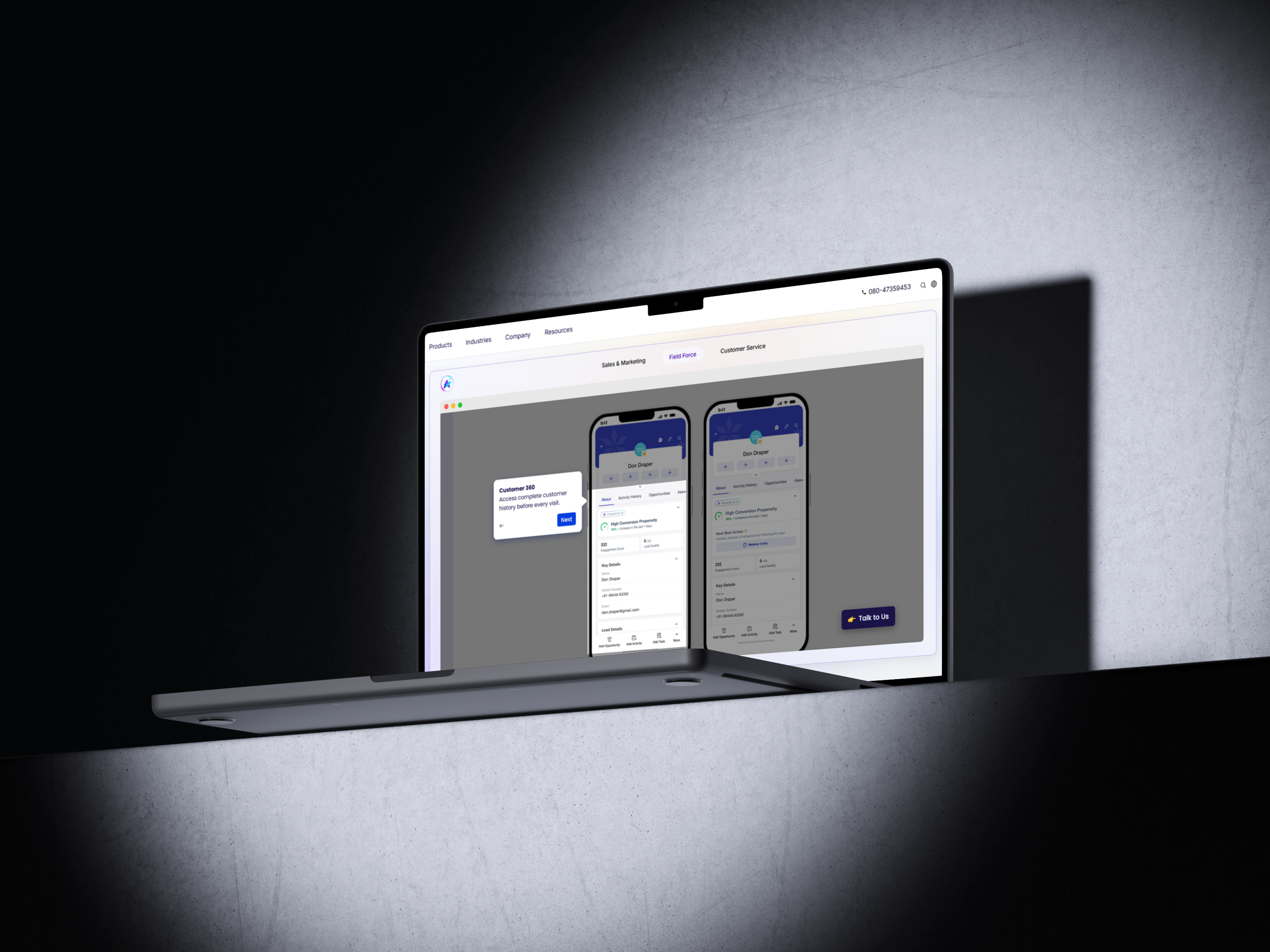
LeadSquared — High-Velocity Sales Landing Page
LeadSquared is an enterprise-grade sales execution and marketing automation platform. This page is designed to distill its massive feature set (CRM, field force, and automation) into a cohesive, high-conversion experience for high-volume businesses.
Role and scope
- UI/UX design – Simplifying complex B2B workflows into intuitive sections.
- Visual direction – Modernizing the "enterprise CRM" look to feel agile and AI-forward.
- Interaction design – Using motion to demonstrate "sales velocity."
- Hand-off – Full documentation for a multi-industry component library.
Objectives
- Establish Authority: Instantly signal that this is a tool for high-volume, high-stakes sales.
- Segment Early: Allow visitors from different sectors (EdTech, Finance, Healthcare) to find their path.
- Reduce Friction: Highlight "Zero Admin" and "AI-driven" to counter the typical CRM fatigue.
- Scalability: Show that the platform grows from a startup to 10k+ agents effortlessly.
Audience
Sales Leaders and Operations Heads in fast-paced industries (Real Estate, EdTech, Lending). They are frustrated by "clunky" CRMs and manual data entry. They care about lead leakage, agent productivity, and speed to lead.
Approach
The page follows a "Velocity" narrative: Start with the problem (lead leakage), show the solution (automated routing), demonstrate the impact (performance metrics), and end with trust (enterprise security and case studies).
Design highlights
- Hero: Bold headline emphasizing "Sales Velocity." A background visual shows a "Lead Journey" stream—leads flowing from various sources into a centralized, organized pipe.
- Industry Selector: A subtle, horizontal scroll or tabbed section to switch the "Value Grid" content based on the user's industry (e.g., "Student Enrollment" for EdTech vs. "Loan Processing" for Finance).
- The "Zero Leakage" Grid: Three cards focused on: 1. Omni-channel capture, 2. Intelligent Distribution, and 3. Automated Nurturing.
- Mobile Showcase: A dedicated section for the "Field Force App," featuring a phone mockup showing geo-tracking and offline task management.
- Social Proof: High-density logo wall of "Unicorn" startups and Fortune 500 companies, paired with a ROI-focused metric (e.g., "60% increase in agent productivity").
Visual language
- Type: Open Sans (brand standard) for body text for maximum readability, paired with a bold, high-contrast Geometric Sans for headers to feel "tech-forward."
- Color: The signature LeadSquared Blue (#007AFF) as the primary anchor, with Electric Orange or Vibrant Green as "Action" colors for CTAs to create urgency.
- Imagery: "Data-lite" visuals—clean dashboard crops, floating UI elements, and abstract line art representing "connectivity" and "flow."
Interactions
- The "Lead Flow" Animation: A subtle animated line that travels from the Hero section down through the features, visually guiding the user through the sales funnel.
- Smart Hover: Hovering over a feature card doesn't just expand text; it updates a small "preview" window showing that specific automation rule in action.
- Success Counter: A live-ticker style counter showing "Leads processed today" or "Sales activities automated" to give a sense of scale.
Accessibility and performance
- Fast-Path Navigation: Sticky header with a "Book a Demo" button that remains accessible regardless of scroll depth.
- Optimization: Light-weight SVG icons and Lottie animations instead of heavy video files to ensure sub-2-second load times for field agents on mobile data.
- Contrast: High-contrast ratios for all data-heavy dashboard previews to ensure legibility on all screen types.
.jpg)
Outcome
The landing page improved first-screen comprehension and reduced friction in the path to sign up.
- +28% click-through on the primary CTA in the hero
- +19% time on page for visitors from ads
- −24% bounce on mobile
“Clean, fast, and exactly the tone we wanted. The new page finally explains Auralis without getting in the way.”
Services delivered
Website design, UI/UX design, visual direction, interaction design, design system setup, hand-off docs.
Tools
Figma for design and prototyping, Webflow for build, lightweight motion for micro-interactions.
More Cases
%20(1).jpg)
.jpg)
%20(1).jpg)